Getting started
with Talos.
Your passwords, codes, and private files, together in an encrypted vault. Learn to set up Talos, organize your information, and make its features part of your everyday routine.

CHAPTER 08 13
Notes & payment cards
Keep plain-text notes and card details alongside your logins.
In this chapter 6 topics
Keep personal notes and payment-card details in dedicated sections of your encrypted vault.
Create a Secure Note
- Open Notes in Abigail’s Vault.
- Choose Add (+) > New Note.
- Enter Travel Information in Note Title.
- Add Packing checklist, hotel details, and travel reminders. in Content.
- Tap the Save checkmark.
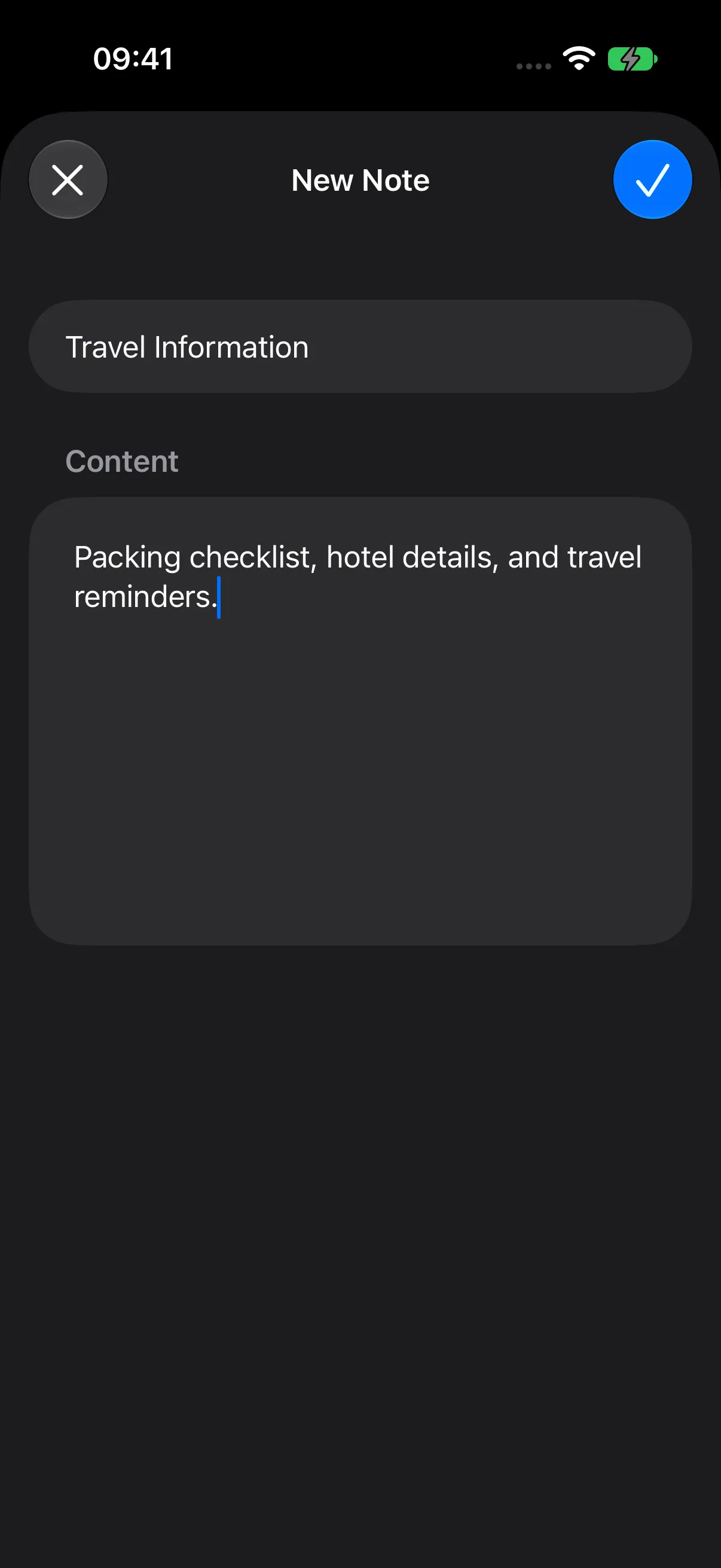
A title identifies the note; the plain-text content can be as short or detailed as you need.
Read and Edit Your Note
Open Travel Information to read it. Tap Edit, update its title or content, and tap Save.
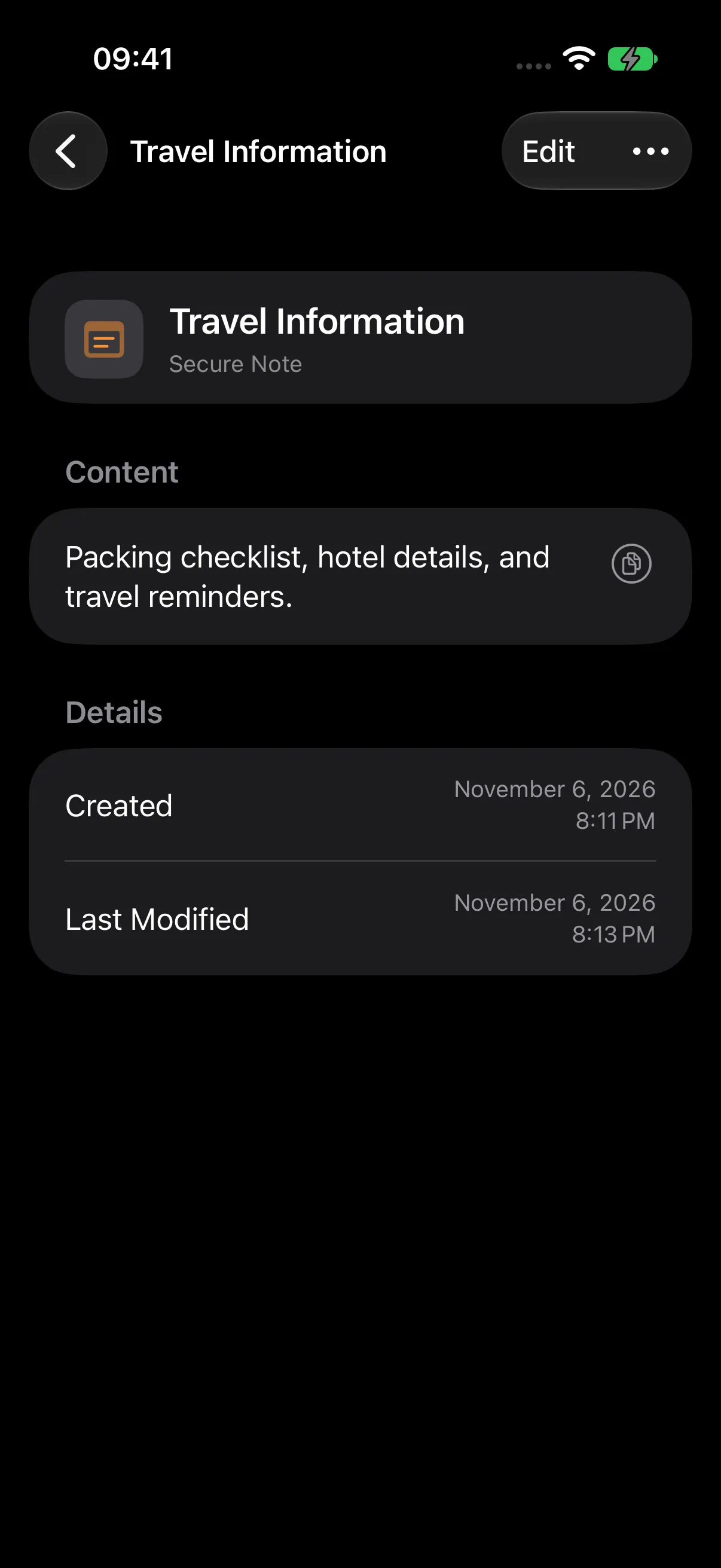
For an extra access step, enable biometric protection for the Notes category using Category Protection.
Add a Payment Card
- Open Credit Cards from Vault Home.
- Choose Add (+) > New Credit Card.
- Enter Personal Card as Card Title and your name as Cardholder Name.
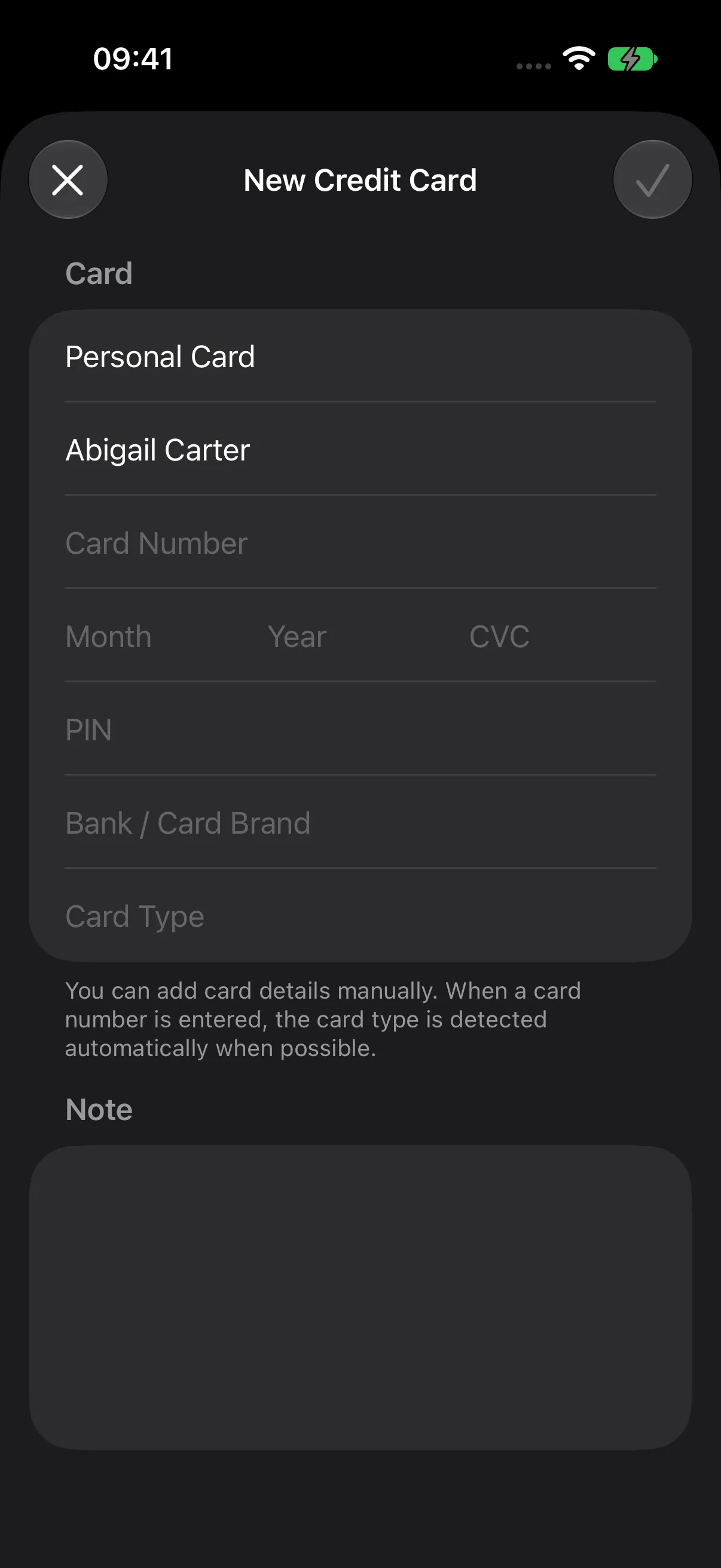
Fill in the Card Details
| Field | What to enter |
|---|---|
| Card Title | A recognizable label. |
| Cardholder Name | The name on the card. |
| Card Number | The card’s digits; Talos adds readable spacing. |
| Month / Year | The expiration date. |
| CVC | The security code, if you want to store it. |
| PIN | The card PIN, if you want to store it. |
| Bank / Card Brand | The issuing bank or a useful label. |
| Card Type | The network or type; Talos can recognize it from the number. |
| Note | Any additional information. |
Enter a title and card number to enable Save. Add the other details you want to keep, then tap the Save checkmark.
View and Update a Card
Open Personal Card from Credit Cards. The saved detail screen masks the card number except for its final four digits and conceals stored CVC and PIN values. Use the visibility controls when you need to read them.
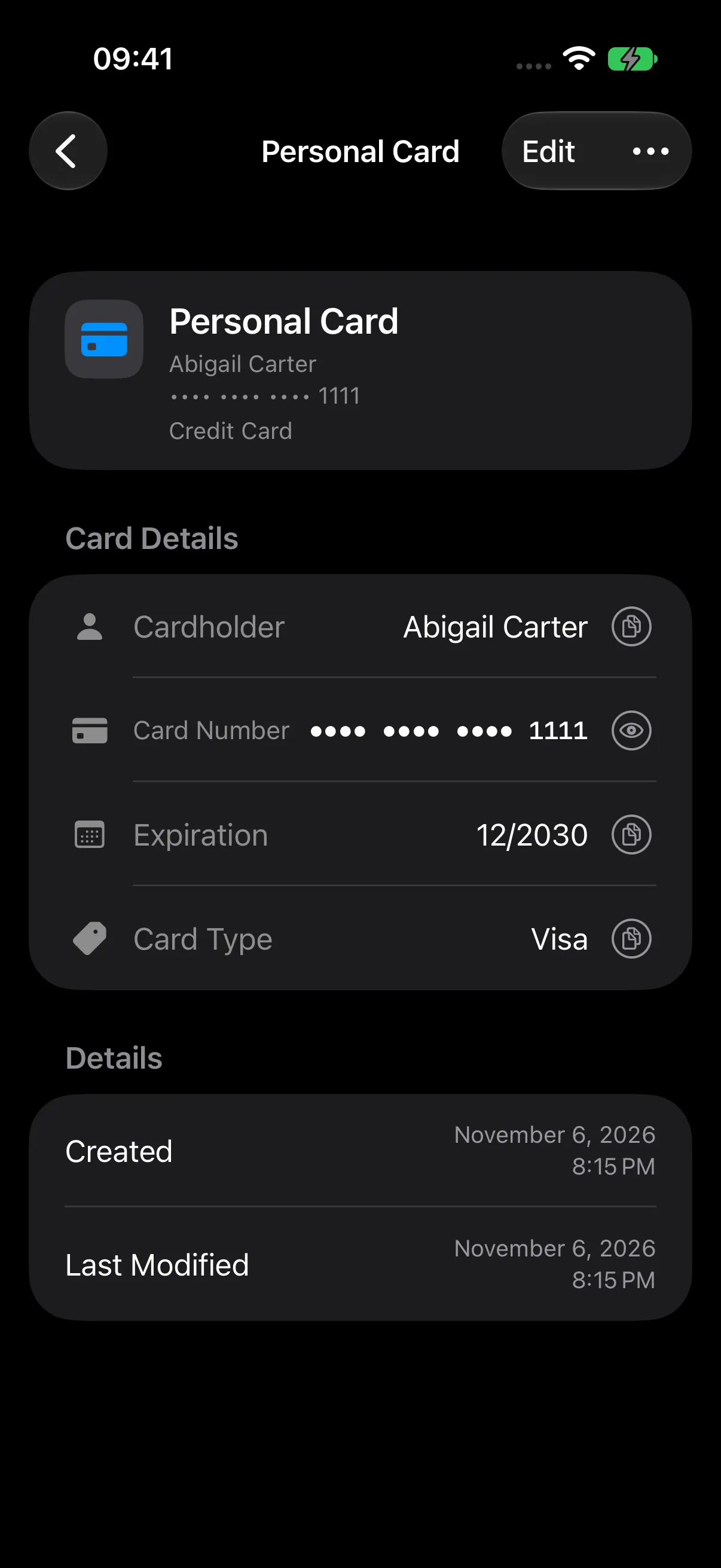
Tap Edit to update the record, then save your changes. You can enable biometric protection for Credit Cards to add category authorization before accessing its records.
Next Steps
Continue to Files, Photos & OCR, or return to Two-Factor Authentication.